
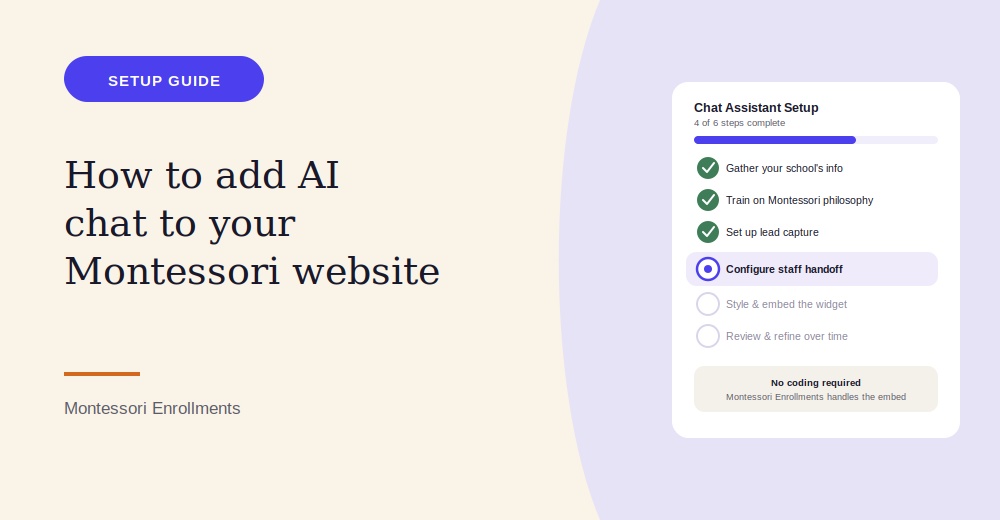
Adding an AI chat assistant to your Montessori school’s website sounds technical, but it doesn’t have to be. Here’s a clear, step-by-step look at what actually goes into setting one up — and how Montessori Enrollments handles each step for you.
Step 1: Gather the Information Your Chat Needs to Know
Before any chat widget goes live, it needs to know your school. That means pulling together the details parents ask about most: your programs and age ranges, tuition ranges, current openings, tour availability, school hours, and answers to the questions you get asked over and over. Montessori Enrollments walks you through this setup, using a simple form or existing website content to train your chat assistant on your school’s specific details.
Step 2: Train the Chat on Your Montessori Philosophy
Generic chatbots often fumble education-specific questions, especially around Montessori concepts that are unfamiliar to parents coming from a traditional school background — mixed-age classrooms, uninterrupted work periods, practical life activities. Montessori Enrollments lets you add these specifics directly, so the chat gives accurate, philosophy-aligned answers instead of generic responses that could confuse or mislead a prospective family.
Step 3: Decide How the Chat Should Capture Leads
A chat assistant should do more than answer questions — it should turn interested visitors into contacts your team can follow up with. With Montessori Enrollments, you can configure the chat to naturally ask for a name and contact information partway through a conversation, or after answering a visitor’s initial question, so you’re not relying on them to separately fill out a form.
Step 4: Set Up Handoff Rules for Staff
Not every question should be answered by AI alone. Montessori Enrollments lets you set rules for when a conversation should be flagged for a staff member — for example, detailed financial aid questions, or a visitor who explicitly asks to speak with a person. When that happens, a staff member can be notified instantly and step into the conversation in real time.
Step 5: Style and Embed the Widget
Once your chat is trained and your rules are set, Montessori Enrollments provides a simple embed code that adds the chat widget to your website. You can customize its color, greeting message, and placement to match your school’s branding, so it feels like a natural part of your site rather than a generic plugin.
Step 6: Review and Refine
After your chat goes live, it’s worth periodically reviewing the conversations it’s had. Montessori Enrollments logs every chat conversation, which lets you see which questions come up most often, spot any gaps in the chat’s training, and refine its answers over time.
Putting It All Together
Adding AI chat to your Montessori website is less about technical setup and more about giving the assistant the right information about your school. Once that’s in place, Montessori Enrollments handles the technical embedding, lead capture, and staff handoff automatically.
See how Montessori Enrollments can help you add a trained AI chat assistant to your website, step by step.
Frequently Asked Questions
Do I need coding experience to add AI chat to my website?
No. Montessori Enrollments provides a simple embed code that adds the chat widget to your site without any development work.
How long does it take to set up an AI chat assistant?
Setup mainly involves gathering your school’s information — programs, tuition, common questions — which Montessori Enrollments uses to train the assistant quickly.
Can the chat be trained on our specific Montessori programs?
Yes. Montessori Enrollments lets you add details about your specific programs, age groups, and philosophy so the chat gives accurate, school-specific answers.
What platform does my website need to be built on?
Montessori Enrollments’ chat widget can typically be embedded on most website platforms with a simple snippet of code, regardless of what your site is built on.
Can I customize how the chat looks?
Yes. You can adjust the widget’s color, greeting message, and placement through Montessori Enrollments to match your school’s branding.
How does the chat know when to hand off to a staff member?
Montessori Enrollments lets you set rules for handoff — like specific question types or an explicit request to speak with a person — so staff are notified and can join the conversation in real time.
Can the chat collect a visitor’s contact information?
Yes. The chat can be configured to naturally ask for a name and contact details during the conversation, capturing the lead automatically.
Will chat conversations be saved anywhere?
Yes. Every conversation is logged inside Montessori Enrollments and attached to the visitor’s contact record for future reference.
Can I update the chat’s answers after it’s live?
Yes. You can review conversations and update the chat’s information at any time as your programs, tuition, or availability change.
Is AI chat suitable for a small, single-campus Montessori school?
Yes. Montessori Enrollments’ chat setup works just as well for a single small school as it does for a multi-campus organization.
