
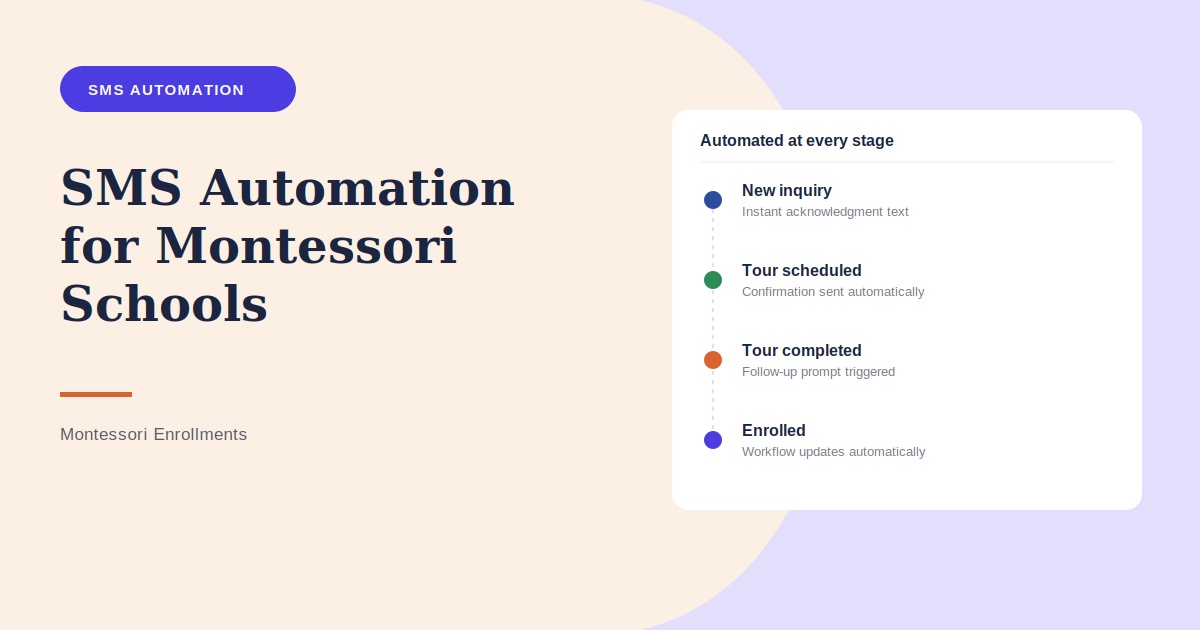
Following up with every prospective family manually can become difficult during a busy enrollment season. SMS automation helps Montessori schools send timely, predefined messages when important enrollment events happen.
Rather than asking staff to remember every confirmation and reminder, the system can handle repetitive communication while your team focuses on personal conversations and tours.
What Is SMS Automation?
SMS automation uses predefined triggers to send appropriate text messages based on an action or enrollment stage. For example, a parent submits an inquiry form and receives an acknowledgment, or a tour is scheduled and a confirmation is sent.
Examples of SMS Automations
- New inquiry acknowledgments
- Tour confirmations
- Upcoming tour reminders
- Rescheduling instructions
- Post-tour follow-up prompts
- Staff notifications
- Missed-call responses
Use Triggers Instead of Memory
A strong automation is tied to a specific event. When a tour is booked, the confirmation is triggered. When the tour date approaches, a reminder is triggered. This creates a consistent process even when the admissions office is busy.
Don’t Automate Everything
Automation should handle predictable administrative communication, not every parent conversation. Questions about a child’s needs, classroom fit, tuition details, or admissions decisions may be better handled personally by staff.
Connect SMS Automation to Enrollment Stages
When SMS is connected to your CRM, different messages can be associated with different stages such as New Inquiry, Tour Scheduled, Tour Completed, Application, Waitlist, or Enrolled.
SMS Automation With MontessoriEnrollments.com
MontessoriEnrollments.com can help schools build automated communication workflows as part of select enrollment packages, including CRM tracking, SMS, email, tour scheduling, and follow-up.
Use Responsible Messaging Practices
Automated messaging should be configured with appropriate consent, identification, opt-out, timing, and privacy practices. Avoid putting sensitive student information into routine marketing or enrollment texts.
Frequently Asked Questions
What is SMS automation for Montessori schools?
It is a system that sends predefined texts when specific enrollment actions or events occur.
What messages can be automated?
Common examples include inquiry acknowledgments, tour confirmations, reminders, and requested follow-up information.
Can a text send immediately after a website inquiry?
Yes, when the inquiry form and messaging workflow are appropriately connected.
Can SMS automation send tour reminders?
Yes. Reminders can be tied to scheduled tour dates.
Can parents reply to automated messages?
With two-way messaging enabled, replies can be routed back to your admissions team.
Can SMS automation work with a CRM?
Yes. Integrating the systems can keep messages and enrollment stages together.
Should every parent message be automated?
No. Automation is best for predictable tasks, while personal admissions conversations should remain personal.
Can automations stop after a parent enrolls?
A properly configured workflow can change or stop messages when a contact’s enrollment status changes.
How do schools avoid sending too many texts?
Use a limited number of relevant messages tied to meaningful enrollment actions rather than sending messages simply because automation is available.
Can MontessoriEnrollments.com build SMS automations?
Depending on your package, automated SMS workflows can be included in your enrollment system.
